
SIAASGN - adding the contract type and position number
Faculty Assignment Form - SIAASGN
The Faculty Assignment form (SIAASGN) is used to enter and maintain assignment information for each term for a faculty member. If no courses appear on a faculty member���s SIAASGN page they have not yet been added to a course.
Locating Part of Term and Inserting Contract Type
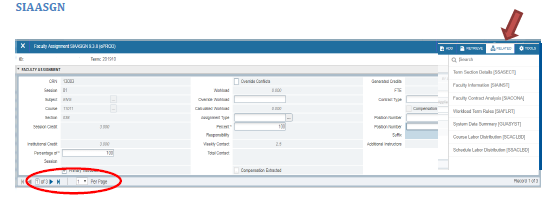
- Open SIAASGN
- Enter the KSU ID for the faculty member
- Enter the Term
- Click ���Go���
- Change the number of records shown so you can see all assigned courses/sections
To identify the part of term (used to identify contract type):
- Open the Related Menu
- Select Term Section Details (SSASECT)
- The course information populates automatically ��� Click ���Go���
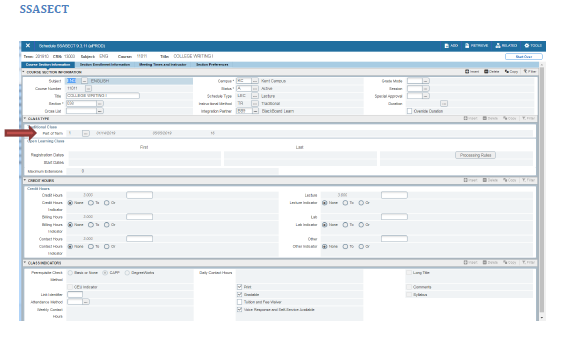
- Identify the Part of Term
- Close SSASECT
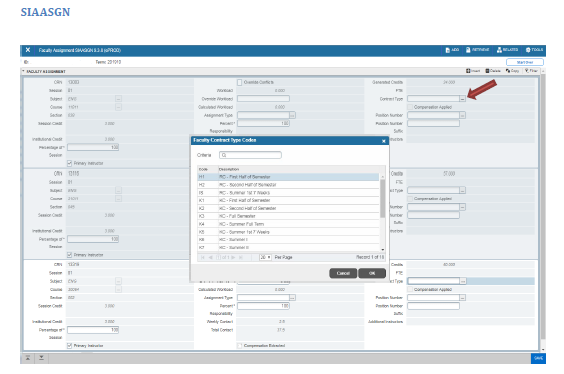
- Click the Contract Type search button
- The List of Values will open
- Select the Contract Type (Refer to SSASECT crosswalk below)
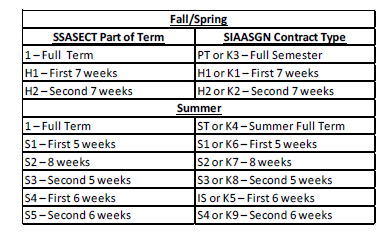
*NOTE: ���PT��� or ���K3��� may be pre-populated as the Contract Type in SIAASGN; each record should be verified and updated as necessary.
Locating and Inserting Position Number and Suffix
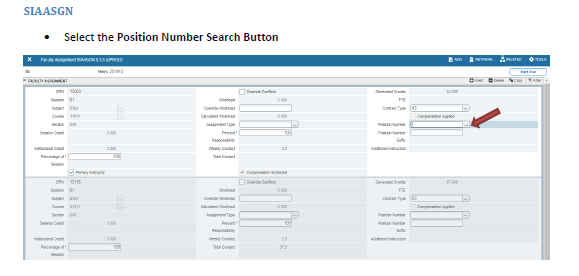
- Select the Position Number Search Button
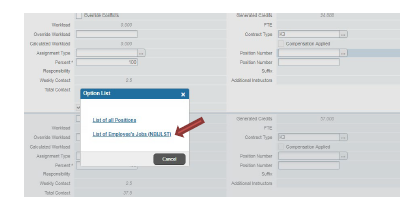
- The Options List will open
- Select List of Employee���s Jobs (NBIJLST)
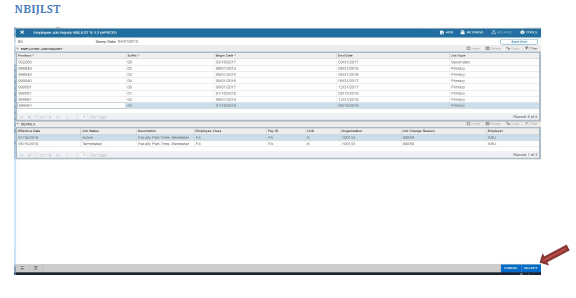
- Choose Select when you have found the correct position number ��� keep in mind the instructor may teach for other departments/campuses as well
- You may need to change the Query Date to an earlier date to show all the position numbers for the employee (i.e., Summer positions). To accomplish this, click the ���Start Over��� button, select an earlier query date and hit ���Go���.
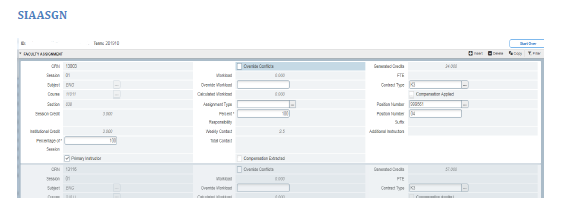
- Increase Suffix by 1* (in this example it was 03, we changed it to 04)
- *If you are adding an Assignment with the same contract type for the same term, do not change the Suffix; all Assignments with the same contract type in the same term should have the same Suffix
Compensation Extracted - SIAASGN
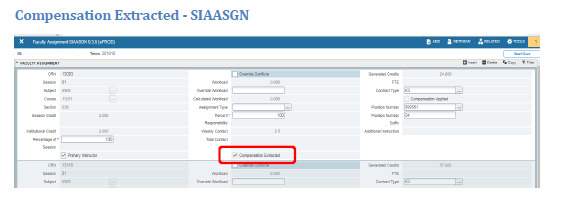
When the Compensation Extracted checkbox is enabled, the assignment and compensation information has been extracted into the Faculty Compensation module in Employee Self-Service. This checkbox cannot be changed manually.
Compensation Applied - SIAASGN
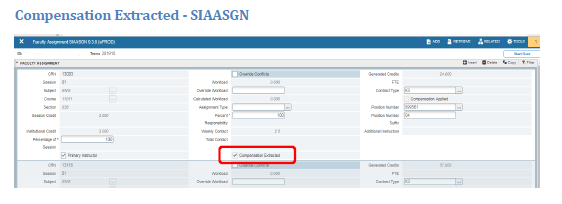
When the Compensation Applied checkbox is enabled, the assignment and compensation information has been uploaded from Employee Self-Service to the Banner HR module. This checkbox cannot be changed manually.